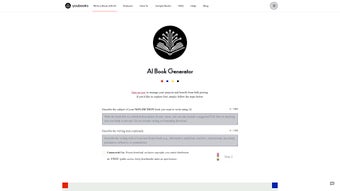

Download Youbooks – AI‑Powered Book Creation Tool for Authors, Marketers & Publishers
Youbooks is an AI‑driven software platform designed to simplify the entire lifecycle of non‑fiction book production. By harnessing the power of ChatGPT and advanced natural‑language models, Youbooks helps writers organize ideas, generate insightful content, and craft compelling narratives without requiring deep technical expertise. Whether you are an author seeking a faster drafting process, a marketer looking for data‑rich whitepapers, or a publisher aiming to streamline editorial workflows, Youbooks delivers a secure, intuitive environment that accelerates creation while preserving high editorial standards. The tool’s core promise is to turn scattered research and outlines into polished, market‑ready books, freeing creators to focus on storytelling rather than repetitive drafting tasks.
Key Features That Power Your Book Creation
- AI‑Assisted Idea Organization: Import research notes, PDFs, or web URLs and let the AI automatically cluster related concepts, generate mind maps, and suggest logical chapter structures.
- Smart Content Generation: Prompt the engine with a topic or outline point and receive high‑quality paragraphs, bullet lists, and data‑driven insights that can be edited in real time.
- Narrative Flow Optimizer: The tool analyses chapter transitions, tone consistency, and readability scores, offering suggestions to improve cohesion and audience engagement.
- Citation & Bibliography Manager: Automatically format references in APA, MLA, Chicago, or custom styles, pulling metadata from academic databases and ensuring plagiarism‑free content.
- Collaboration Hub: Invite co‑authors, editors, or marketers to comment, suggest edits, or approve sections within a secure, version‑controlled workspace.
- Export Flexibility: Publish directly to PDF, ePub, Kindle, or Word formats, and integrate with popular publishing platforms like Draft2Digital and Amazon KDP.
- Secure Cloud Storage: All drafts are saved on encrypted servers with regular backups, ensuring data integrity and compliance with GDPR and CCPA.
- Continuous Updates: The AI model receives monthly improvements, keeping your content generation aligned with the latest language trends and research capabilities.
Step‑by‑Step Installation and Practical Usage Tips
Getting started with Youbooks is straightforward, whether you prefer a desktop client or a browser‑based experience. Follow these steps to download, install, and make the most of the platform:
- Visit the Official Website: Navigate to youboks.com and click the “Download” button that matches your operating system.
- Select Your Platform: Youbooks supports Windows 10/11, macOS 12+, and offers a web app that runs on any modern browser (Chrome, Edge, Firefox, Safari). Choose the appropriate installer.
- Run the Installer: On Windows, execute the
.exefile and follow the wizard prompts. macOS users double‑click the.dmgand drag the app to the Applications folder. - Create an Account: Launch Youbooks and register with an email address or single‑sign‑on via Google or Microsoft. A verification email will confirm your identity.
- Configure AI Settings: Within the Settings panel, adjust the AI’s creativity level, preferred citation style, and data‑privacy preferences. These defaults can be tweaked per project.
- Start a New Project: Click “New Book,” give it a title, and select a template (e.g., “Business Whitepaper,” “Self‑Help Guide,” “Technical Manual”). The template pre‑populates suggested chapter headings.
- Import Research Materials: Use the “Import” button to upload PDFs, Word documents, or CSV datasets. Youbooks will scan the content and surface relevant snippets for easy drag‑and‑drop into chapters.
- Generate Drafts: Highlight a heading and type a brief prompt (e.g., “Explain the impact of AI on small businesses”). The AI returns a paragraph you can edit or accept outright.
- Collaborate in Real Time: Invite teammates via email. Their comments appear inline, and you can assign tasks or lock sections to prevent accidental overwrites.
- Finalize & Export: Once the manuscript is polished, run the “Export” wizard. Choose format, set metadata (ISBN, author bio), and click “Publish.” The file is saved locally and optionally uploaded to cloud storage services like Dropbox or Google Drive.
Tip: Leverage the “Version History” feature to compare drafts and revert to earlier versions if an AI suggestion doesn’t fit your voice. Regularly back up your project to a secondary location for added security.
Pros, Cons, and Compatibility Overview
Supported Operating Systems: Windows 10/11, macOS 12+, and any device with a modern web browser (Chrome, Edge, Firefox, Safari). Mobile apps for iOS 14+ and Android 9+ are currently in beta, offering on‑the‑go editing capabilities.
Pros
- AI accelerates content creation, reducing writing time by up to 60 %.
- Intuitive UI that requires no prior AI or coding knowledge.
- Robust citation manager eliminates manual bibliography work.
- Secure cloud storage with GDPR/CCPA compliance.
- Flexible export options for all major publishing platforms.
- Collaborative workspace streamlines team reviews.
Cons
- Advanced AI features require a paid subscription after the 14‑day trial.
- Internet connection is mandatory for most AI operations.
- Learning curve for users unfamiliar with AI‑prompt crafting.
- Mobile app still in beta and may lack some desktop functionalities.
Frequently Asked Questions & Final Verdict
Is Youbooks suitable for first‑time authors?
Absolutely. The platform’s guided templates and AI‑driven suggestions are built for writers at any skill level. First‑time authors benefit from the structured outlines and instant content generation, which help overcome writer’s block and accelerate the drafting process.
Can I export a manuscript directly to Amazon KDP?
Yes. Youbooks includes a KDP‑ready export option that formats the manuscript to meet Kindle’s specifications, including cover image placement, metadata, and table of contents. You can upload the generated file directly from the app or download it for manual upload.
What happens to my data if I cancel the subscription?
All projects remain stored in your secure cloud account for 30 days after cancellation, giving you ample time to export or migrate your work. After that period, the data is permanently deleted in accordance with the privacy policy.
Does Youbooks support multi‑language book creation?
Yes. The underlying AI model is multilingual, allowing you to generate content in English, Spanish, French, German, and several other languages. Language‑specific style guides can be selected in the settings to ensure proper grammar and cultural relevance.
Is there a free version of Youbooks?
Youbooks offers a 14‑day free trial with full feature access. After the trial, a subscription plan (monthly or annual) is required to continue using the AI generation and collaboration tools. A limited “Reader” mode is available for free, allowing you to view and comment on shared projects without editing capabilities.
In summary, Youbooks stands out as a comprehensive, AI‑enhanced solution for anyone serious about producing high‑quality non‑fiction books quickly and securely. Its blend of idea organization, automated writing, and collaborative features addresses the most common bottlenecks in the publishing pipeline. While the subscription cost may be a consideration for hobbyists, the time saved and professional output typically justify the investment for serious authors, marketers, and publishing houses. Ready to transform your manuscript workflow? Download Youbooks now, start your free trial, and let AI take the heavy lifting out of your writing process.
Youbooks delivers a powerful mix of AI assistance and traditional publishing tools. The intuitive interface, robust citation manager, and seamless export options make it a top choice for non‑fiction creators. Minor drawbacks include its reliance on an internet connection and the premium pricing after the trial, but the productivity gains outweigh these concerns.
- Youbooks



.png)



